 by
by Agentic DevOps is the newer way for building and managing code much faster and effectively using coding agents. If your organisation is building Agentic DevOps practice then below are some tips that might be helpful.
Note: For this blog, I will be focusing on GitHub Copilot as the codex environment but the rules may also apply to other vibe coding IDEs such as Claude Code, OpenAI codex etc.
Before starting on Agentic DevOps processes, below are some important questions or tips to check/clarify:
- Understand the role of Agents and how they augment the DevOps process. For e.g.what stages of your traditional DevOps process you would like to augment such as code build, code review, test generation etc
- What are overhead tasks does your team spends a lot of time on but could be automated smartly such as test case generation?
- Who does code review of the code? Is it repetitive and can it be easily logically described?
- For downstream processes, do you need a smart process to triage deployment processes and next steps?
Below are some key points to consider when implementing Agentic Devops using a Vibe coding client such as Github Copilot.
Custom Instructions
Custom instructions provide a powerful way to interact and use GitHub copilot agentic mode to accelerate DevOps cycle. To use Custom Instructions in Visual Stuido code, below are some tips on better guidance and rule set for your repository or code review processes. Some tips below:
- Apply instructions at root repository, path specific or AI agents.
- Don’t overlap conflicting instructions across the hierarchy to prevent it misinterpreting instructions
- If in doubt, use the
/instructionscommand to view the instruction files discovered for the current session and enable or disable individual files.
The instructions in the file(s) are available for use by Copilot as soon as you save the file(s). Instructions are automatically added to requests that you submit to Copilot. The custom instructions used in a chat can be found in the list of references used in the chat.
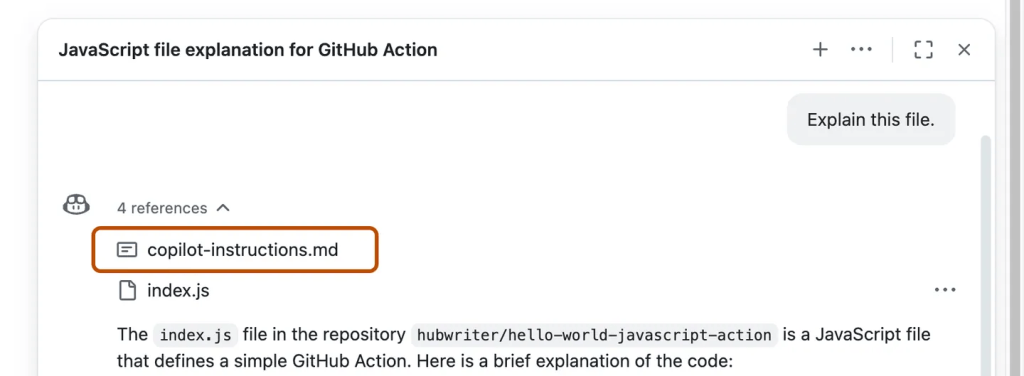
Here is a curated list of sample instructions as reference – Sample Custom Instructions
Plan mode
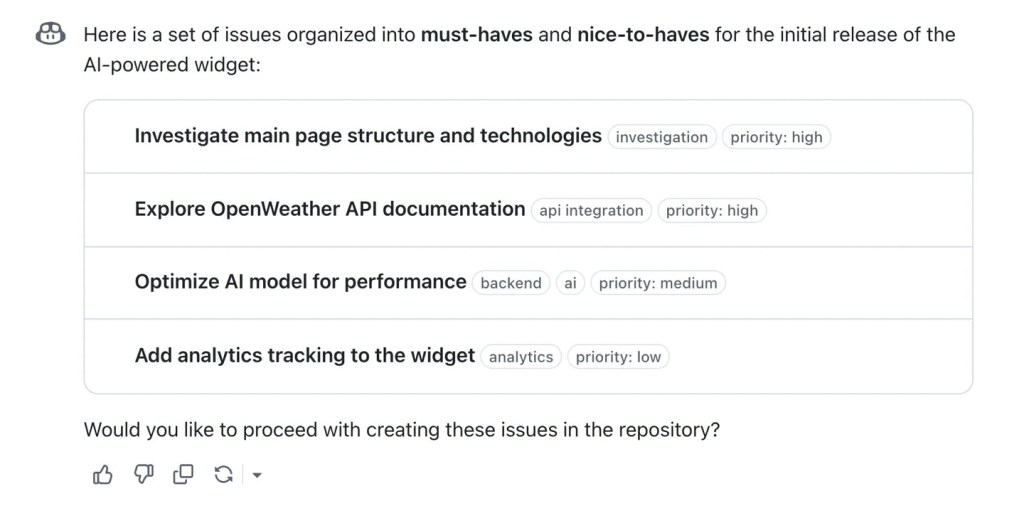
Plan mode in GitHub copilot can be used to prepare for implementation of a solution. This can be used by power users to outline the tasks to be performed, review them and then run it in sequence. This helps to generate and build code in a structured mode.
For e.g. below is a sample for a product manger can draft using Copilot plan to share with developers.
Test mode
With MCP server and playwright, performing end to end testing and evaluation is a breeze. Playwright when configured can simulate browser actions and work on the files with context in place.
Here are steps for setting up Playwright MCP server with GitHub Copilot
Automatic Code Review
We could schedule automatic code reviews to assist with Github copilot to review pull requests automatically.
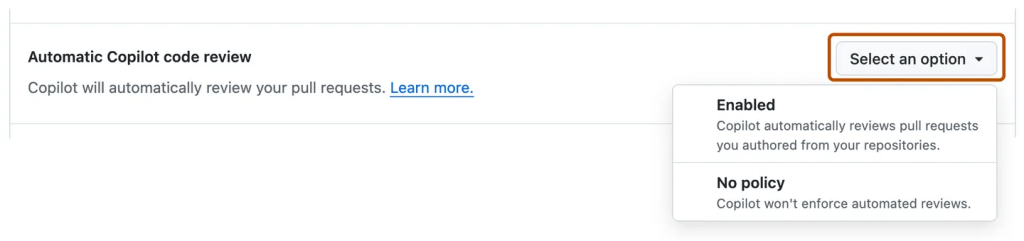
Then create Rulesets to automatically request code review of pull requests.
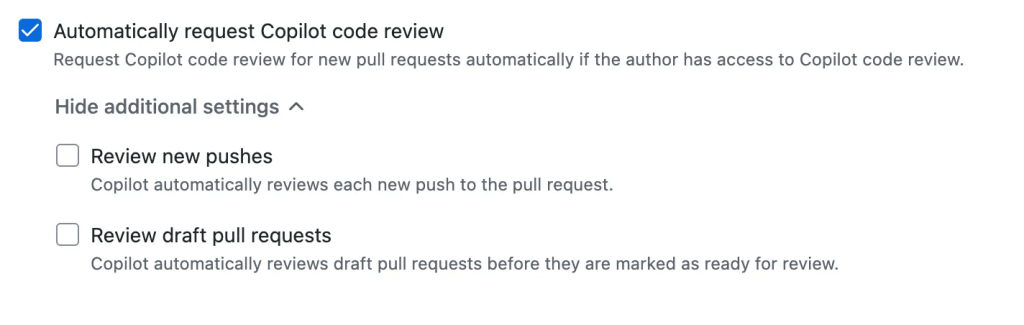
Note: Github copilot Code reviews use Github code runners to run code review which needs to be enabled. If not enabled, code review will fallback to limited capabilities.
Optimize with Github Copilot Cloud Agent
Once the code is ready, Github Copilot Cloud Agent can act as a background tasker that can run independently to create implementation plans, create review plans, implement new features and fixes automatically. The Cloud Agent acts autonoumsly, and helps with developer tasks in the background. Below is a sample list of taks it can perform today.
- Research a repository
- Create implementation plans
- Fix bugs
- Implement incremental new features
- Improve test coverage
- Update documentation
- Address technical debt
- Resolve merge conflicts
Secure with Copilot Autofix
Autofix provides you with targeted recommendations to help you fix code scanning alerts so you can avoid introducing new security vulnerabilities. The potential fixes are generated automatically by large language models (LLMs) using data from the codebase and from code scanning analysis.
Note: Github copilot autofix is available with public and private repositories and doesn't need a Github Copilot plan. And also autofix doesn't consume any credits
References
Addition to my points above, here are some great articles that you could use to refer the Agentic DevOps processes and how to use them effectively


1 Comment